


Meet Screenmate One, a device that transforms the screen of your Tesla

Trusted by over 1300 backers on

Any App at Your Fingertips

Entertainment
Stream your favorite services right from your Tesla’s display. Watch movies, TV shows, and more in smooth, high-quality playback.
Navigation
Utilize popular navigation apps like Google Maps, Waze, and others..



Stay Connected
Effortless access to social media, emails, video calls, and messaging apps—Screenmate keeps you in touch on the go.
Music
Seamless access to your favorite music apps. Enjoy high-quality streaming from popular services, bringing your playlists to life on your car.

Mobile Gaming
Enjoy mobile gaming directly on your Tesla vehicle’s screen, with a wide selection
of titles available through Google Play Games.
of titles available through Google Play Games.
Anything Else
Transform your car into a versatile hub with Screenmate One, giving you effortless access to a wide range of applications.
Entertainment
Stream your favorite services right from your Tesla’s display. Watch movies, TV shows, and more in smooth, high-quality playback.

Navigation
Utilize popular navigation apps like Google Maps, Waze, and others.
Stay Connected
Effortless access to social media, emails, video calls, and messaging apps—Screenmate keeps you in touch on the go.
Mobile Gaming
Enjoy mobile gaming directly on your Tesla vehicle’s screen, with a wide selection
of titles available through Google Play Games.
of titles available through Google Play Games.

Music
Seamless access to your favorite music apps. Enjoy high-quality streaming from popular services, bringing your playlists to life on your car.

And Anything Else
Transform your car into a versatile hub with Screenmate One, giving you effortless access to a wide range of applications.


CarPlay and
Android Auto
Android Auto
Screenmate One allows you to connect your iPhone
or Android and use apps directly on your Tesla’s
screen. Many drivers have been looking forward to
the addition of Apple CarPlay and Android Auto
support, and this feature now makes that possible.
or Android and use apps directly on your Tesla’s
screen. Many drivers have been looking forward to
the addition of Apple CarPlay and Android Auto
support, and this feature now makes that possible.


Console and
HDMI devices
connection
HDMI devices
connection
Screenmate One significantly expands the gaming
capabilities of your car. It allows you to run
Android games directly on the powerful Qualcomm
chipset or connect your favorite gaming console
via HDMI or USB.
capabilities of your car. It allows you to run
Android games directly on the powerful Qualcomm
chipset or connect your favorite gaming console
via HDMI or USB.

Dashboard
Keep your instrument panel with all vital car
information in view on top of your apps. Track
current speed, speed limit, blindspots warnings,
battery charge, and more. You can also easily
minimize or move it aside for a clearer view.
information in view on top of your apps. Track
current speed, speed limit, blindspots warnings,
battery charge, and more. You can also easily
minimize or move it aside for a clearer view.

Control Panel
Access all essential commands with just one touch.
A compact Control Panel offers a wide range of
functions, making it easy to dim mirrors or adjust
the passenger seat—everything you need is just a
tap away.
A compact Control Panel offers a wide range of
functions, making it easy to dim mirrors or adjust
the passenger seat—everything you need is just a
tap away.

Controls Beyond Tesla’s Standard Set
We’ve added extra control functions for you, like activating battery heating
for faster charging, opening any door or disable regen braking with a single click.
for faster charging, opening any door or disable regen braking with a single click.

Open Right
Front Door
Front Door

Open Left
Rear Door
Rear Door

Open Right
Rear Door
Rear Door

Disable Regen
Braking
Braking

Front Passenger
Seat Movement
Seat Movement

Battery
Preheating
Preheating
Advanced Screenmate One Commands
We also plan to offer a software environment where you can create your own smart
functions and automation scripts in Python. Here you can find examples of these scripts.
functions and automation scripts in Python. Here you can find examples of these scripts.

Anti Ticket Speed Limit

Teslogic Track Mode

Screenmate Drift Mode

Snow / Ice Mode

Slip Start Mode

Chill Kickdown

Car’s Configuration
Screenmate Dash
Native Support
Native Support
Screenmate Dash transforms your phone into a fully functional instrument
cluster, conveniently positioned right in your line of sight.
cluster, conveniently positioned right in your line of sight.
The app features five customizable screens, allowing you to switch
between them effortlessly using the selector on your steering wheel.
between them effortlessly using the selector on your steering wheel.
For details about the product, visit Screenmate Dash.
Add-ons
Apple AirPlay and Screen Mirroring
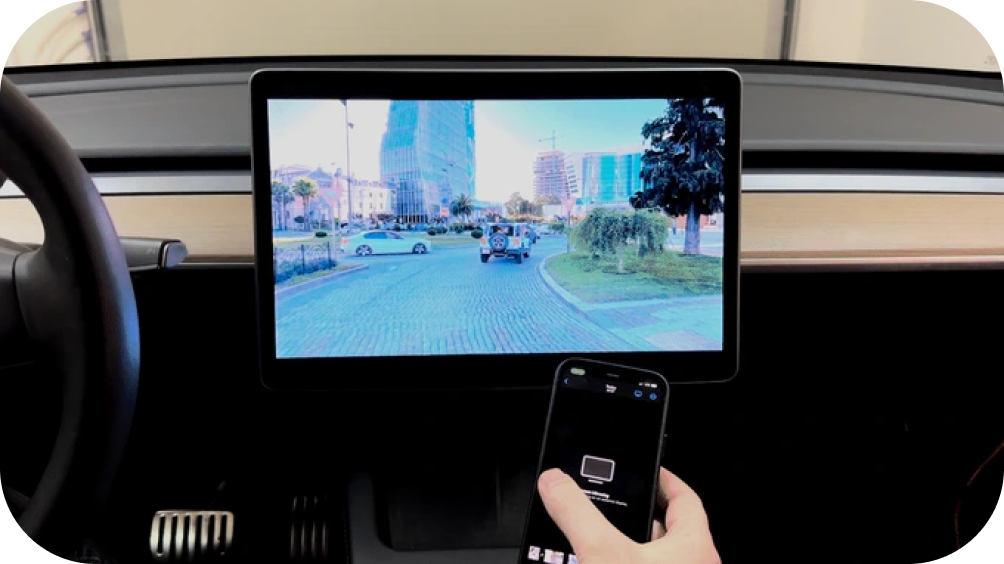
You can share your videos and photos from your phone using AirPlay or Android Screen Mirroring. Please be aware that you might need to install additional apps to use this feature.
Front Wireless Camera Integration
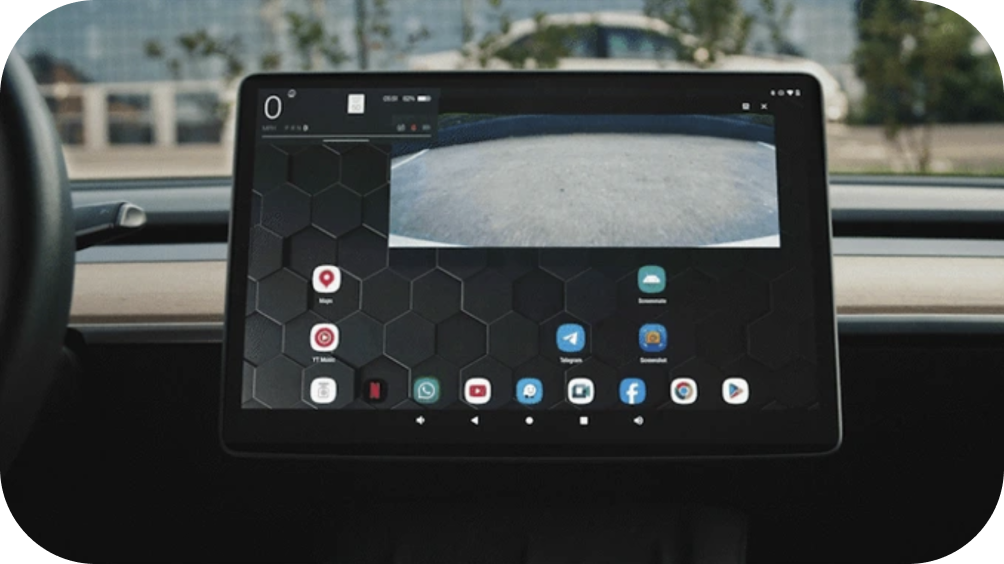
Screenmate One ensures you have a clear view and complete control, making every maneuver easier and safer. We've put in a lot of effort to ensure that adding the optional front camera is as simple and straightforward as possible for you.
Dual
View Mode
View Mode
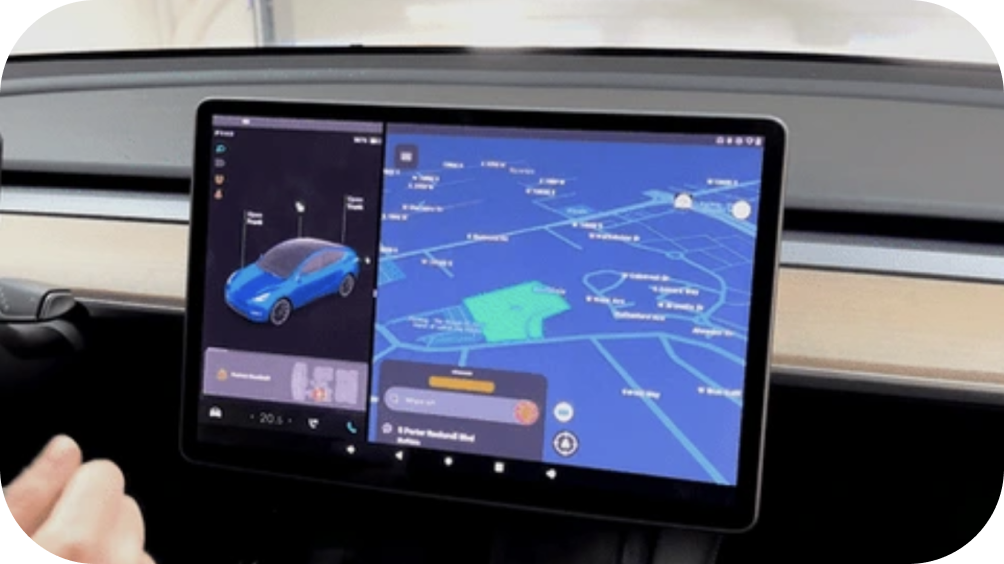
Run any app on the right side of your Tesla screen while keeping the Tesla interface on the left. Many of you actively use the blindspot cameras feature, and we've preserved this functionality in Screenmate.
Open Source
Software
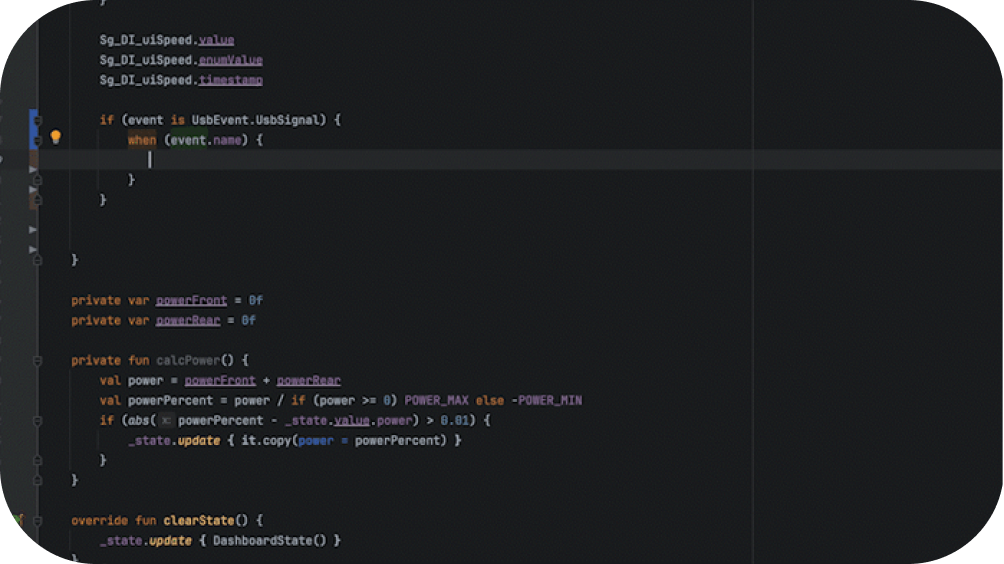
The source code for the Screenmate app, which allows communication with your car, will be available on our GitHub page. The best improvements from the community, such as dashboards, controls, and scripts, will be added to our development thread.
Technical Specifications

5 in (12,5 cm)
3,4 in (8,5 cm)

1 in (2,5 cm)


Android System
on Module
on Module
Chipset
Qualcomm SM6225, Quad-core ARMs Cortex™-A73,
2.4GHz+Quad-core ARM Cortex™-A53,1.9GHz
2.4GHz+Quad-core ARM Cortex™-A53,1.9GHz
GPU
Adreno 610
MEMORY
4(or 8) GB LPDDR4X RAM;
64(or 128) GB UFS
64(or 128) GB UFS
OS
Android 14
Chipset
Qualcomm SM6225, Quad-core ARMs Cortex™-A73,
2.4GHz+Quad-core ARM Cortex™-A53,1.9GHz
MEMORY
4(or 8) GB LPDDR4X RAM;
64(or 128) GB UFS
64(or 128) GB UFS
GPU
Adreno 610
OS
Android 14
Microcontrollers
Nordic NRF52840 Bluetooth Low Energy,
ARM Cortex-M4, 64 MHz, 1 MB flash, 256 KB SRAM
ARM Cortex-M4, 64 MHz, 1 MB flash, 256 KB SRAM
2xSTM32G, ARM Cortex-M4 170
MHz, 512 KB flash,
MHz, 512 KB flash,
Internet
LTE FDD/TDD, WCDMA,
up to 150Mbps
up to 150Mbps
Wired Interfaces
USB Type-C DisplayPort
Alt Mode Input
Alt Mode Input
Micro HDMI input
mini-SIM card slot
USB 3.1 data
USB PowerDelivery
Charger Input
Charger Input
3xCAN Bus Automotive
2xFPD Video
8xGPIO
Wireless Interfaces
Bluetooth 5.0 BR/EDR/BLE
(Android SoM)
(Android SoM)
Bluetooth 5.4 (Screenmate Dash output)
WiFi 802.11 a/b/g/n/ac
Compatibility Models

Model 3 (‘17-23)
Model 3 '24+ (Highland)
Model Y (All)
Model Y '25+ (Juniper)
Model S (‘21+)
Model X (‘21+)
Any questions left?
Explore our FAQ page to find answers to your most
pressing questions about Screenmate One.
pressing questions about Screenmate One.


Effortless Installation

 Connection Diagram
No need for complicated setups or special skills.
The Screenmate One installation is simple, non-
invasive, and takes just about 10 minutes.
The Screenmate One installation is simple, non-
invasive, and takes just about 10 minutes.
The Screenmate One unit is installed in the
compartment under the central console. Access
is simple—just unclip the fabric-covered panel
on the side of the central console near the
passenger’s feet, similar to how you replace
cabin filters in the Model 3/Y. There’s plenty of
room to position the unit comfortably.
compartment under the central console. Access
is simple—just unclip the fabric-covered panel
on the side of the central console near the
passenger’s feet, similar to how you replace
cabin filters in the Model 3/Y. There’s plenty of
room to position the unit comfortably.
No need for complicated setups
or special skills. The Screenmate One
installation is simple, non-invasive,
and takes just about 10 minutes.
or special skills. The Screenmate One
installation is simple, non-invasive,
and takes just about 10 minutes.
The Screenmate One unit is installed in the
compartment under the central console.
Access is simple—just unclip the fabric-
covered panel on the side of the central
console near the passenger’s feet, similar to
how you replace cabin filters in the Model 3/Y.
There’s plenty of room to position the unit
comfortably.
compartment under the central console.
Access is simple—just unclip the fabric-
covered panel on the side of the central
console near the passenger’s feet, similar to
how you replace cabin filters in the Model 3/Y.
There’s plenty of room to position the unit
comfortably.
Watch Manuals

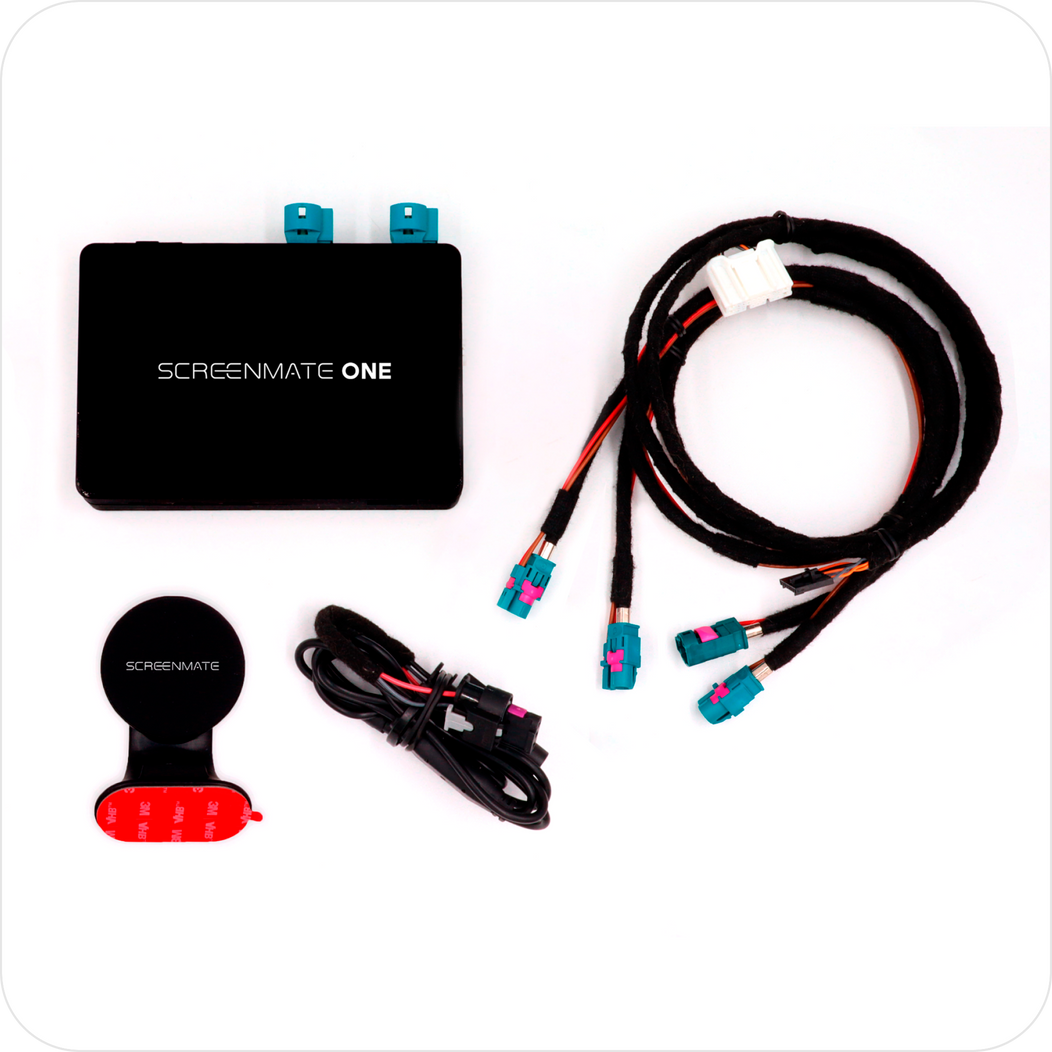
What’s in the Box

Screenmate One Device


Phone Holder

Video Interface Wirings

CAN BUS Wiring
890 USD
Screenmate ONE
Select your Tesla model and year


Select your Tesla model and year


Model 3 '17-20


Model 3 '21-23 | Model Y '20-24
Model 3 '24+ (Highland) | Model Y '25+ (Juniper) | Model S '21+ | Model X '21+

Free shipping within the US

Duties and taxes included in most countries*
*See Shipping page for details.