'%3e%3cpath%20d='M4.34313%204.34315L15.6568%2015.6569M15.6568%204.34315L4.34313%2015.6569'%20stroke='white'%20stroke-linecap='round'/%3e%3c/g%3e%3cdefs%3e%3cclipPath%20id='clip0_1249_5134'%3e%3crect%20width='20'%20height='20'%20fill='white'/%3e%3c/clipPath%3e%3c/defs%3e%3c/svg%3e)

Your first 5% discount
is on Us!
is on Us!
Join Screenmate Community
and get
best deals
and exclusive updates.
and get
best deals
and exclusive updates.
We’d love to make
our
emails more
useful for you.
our
emails more
useful for you.
Tell us your Tesla model so we can send
you the updates that matter most.
you the updates that matter most.
Select your Tesla model and year
Thank you
for subscribing!
for subscribing!


'%3e%3cpath%20d='M4.34435%204.34315L15.6581%2015.6569M15.6581%204.34315L4.34435%2015.6569'%20stroke='black'%20stroke-linecap='round'/%3e%3c/g%3e%3cdefs%3e%3cclipPath%20id='clip0_8547_13245'%3e%3crect%20width='20'%20height='20'%20fill='white'/%3e%3c/clipPath%3e%3c/defs%3e%3c/svg%3e)

How to use Screenmate Dash
Smooth start with soft installation.Watch Video'%3e%3cpath%20d='M5.13848%2021.1746L9.9261%2015.9995L5.13847%2010.8244C5.04649%2010.7274%205.00049%2010.6143%205.00049%2010.4849C5.00049%2010.3555%205.04649%2010.2424%205.13847%2010.1454C5.23046%2010.0485%205.33784%2010%205.4606%2010C5.58336%2010%205.68566%2010.0431%205.76749%2010.1294L10.862%2015.644C10.954%2015.7409%2011%2015.8596%2011%2016C11%2016.1404%2010.954%2016.2591%2010.862%2016.356L5.78272%2021.8706C5.69073%2021.9569%205.58074%2022%205.45274%2022C5.32474%2022%205.21737%2021.9515%205.13062%2021.8546C5.04387%2021.7576%205.00033%2021.6445%205%2021.5151C4.99968%2021.3857%205.04567%2021.2726%205.13799%2021.1756L5.13848%2021.1746Z'%20fill='%231657FC'%20stroke='%231657FC'%20stroke-width='0.4'/%3e%3c/g%3e%3cdefs%3e%3cclipPath%20id='clip0_4898_1605'%3e%3crect%20width='32'%20height='16'%20fill='white'%20transform='translate(0%2032)%20rotate(-90)'/%3e%3c/clipPath%3e%3c/defs%3e%3c/svg%3e)
1

Connect a small Screenmate Dash
transmitter to your vehicle.
transmitter to your vehicle.
2

Install magnetic phone holder
with optional charger.
with optional charger.
3

Run Screenmate Dash app on your
iPhone, iPad or any Android device.
iPhone, iPad or any Android device.
4

Turn your phone into a convenient
and functional dashboard.
and functional dashboard.
Switch between five screensand explore your carwith Screenmate Dash
Light
Dark
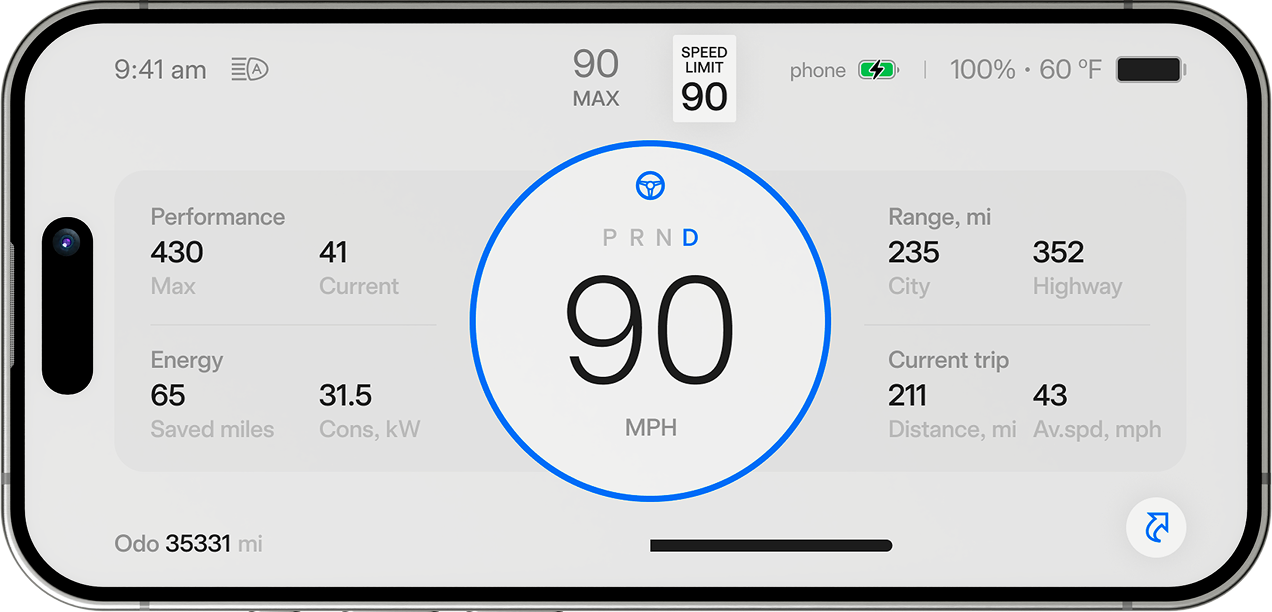
Recognizable autopilot,
cruise and speed limit
indicators
cruise and speed limit
indicators


Monitor your
car battery
status
car battery
status


Miles saved by
regeneration
and current
energy consumption
regeneration
and current
energy consumption


Screenmate Dash supports both
the SI and Imperial
measurement
systems,
synchronizing it with the
main Tesla interface
the SI and Imperial
measurement
systems,
synchronizing it with the
main Tesla interface


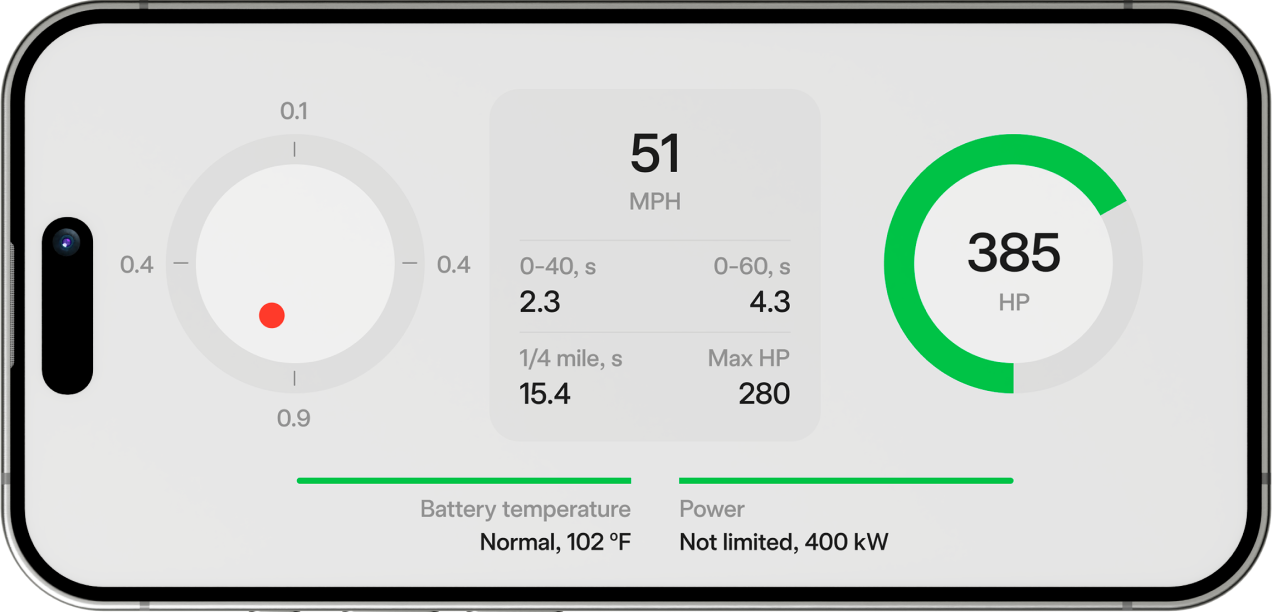
G-sensor shows changes
in the direction of
acceleration
in the direction of
acceleration


The best
performance
during
your current trip
performance
during
your current trip

'%3e%3cpath%20d='M27.6078%209C20.6535%209%2015%2014.6535%2015%2021.6078C15%2024.4065%2015.9091%2027.0001%2017.4567%2029.0938L18.5691%2028.1087C17.2539%2026.2816%2016.4833%2024.0355%2016.4833%2021.6078C16.4833%2015.4551%2021.4551%2010.4833%2027.6078%2010.4833C33.7605%2010.4833%2038.7323%2015.4551%2038.7323%2021.6078C38.7323%2024.0355%2037.9617%2026.2816%2036.6465%2028.1087L37.7589%2029.0938C39.3065%2027.0001%2040.2156%2024.4065%2040.2156%2021.6078C40.2156%2014.6535%2034.5621%209%2027.6078%209ZM27.6078%2015.6747L25.7537%2024.9452C25.7537%2025.9692%2026.5838%2026.7993%2027.6078%2026.7993C28.6318%2026.7993%2029.4619%2025.9692%2029.4619%2024.9452L27.6078%2015.6747Z'%20fill='%23909090'/%3e%3c/g%3e%3cdefs%3e%3cclipPath%20id='clip0_4987_3201'%3e%3crect%20width='40'%20height='40'%20fill='white'/%3e%3c/clipPath%3e%3c/defs%3e%3c/svg%3e)
To reach best results
battery should
be neither
cold, nor overheated
battery should
be neither
cold, nor overheated


Current used
horsepower value
horsepower value


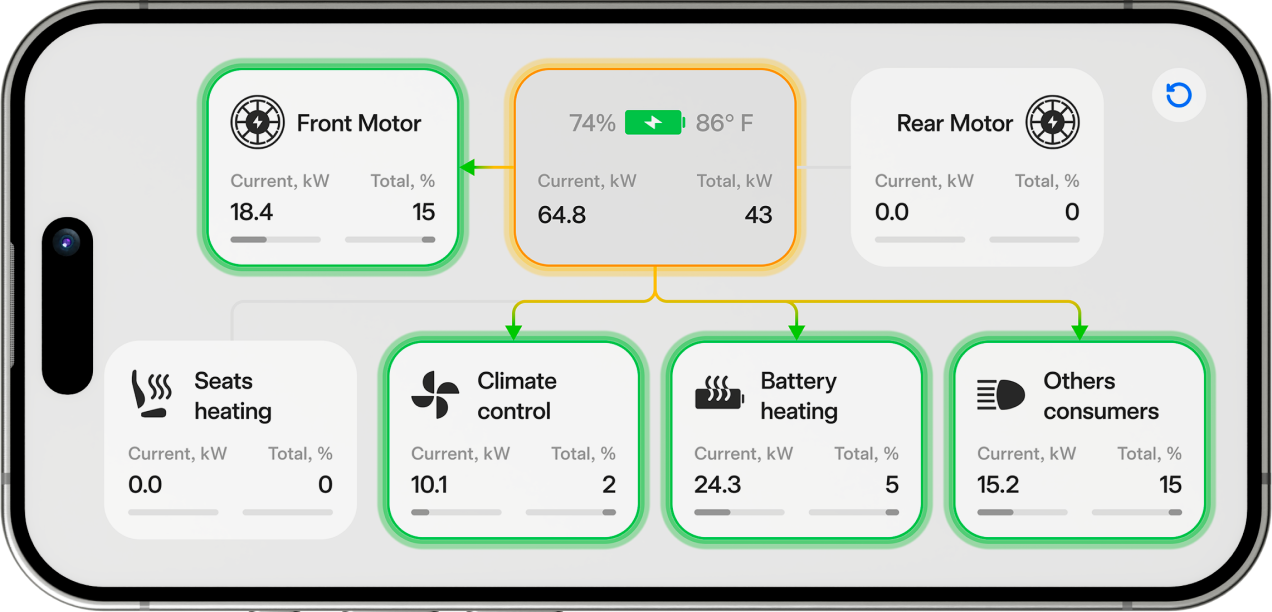
Green color highlights
energy consumers in real
time
energy consumers in real
time

'%3e%3ccircle%20cx='10'%20cy='18'%20r='9'%20fill='%23D0E1D3'/%3e%3c/g%3e%3ccircle%20cx='10'%20cy='18'%20r='4.5'%20fill='%2300B200'%20stroke='%239FD69A'%20stroke-width='3'/%3e%3cdefs%3e%3cfilter%20id='filter0_f_4987_3232'%20x='0'%20y='8'%20width='20'%20height='20'%20filterUnits='userSpaceOnUse'%20color-interpolation-filters='sRGB'%3e%3cfeFlood%20flood-opacity='0'%20result='BackgroundImageFix'/%3e%3cfeBlend%20mode='normal'%20in='SourceGraphic'%20in2='BackgroundImageFix'%20result='shape'/%3e%3cfeGaussianBlur%20stdDeviation='0.5'%20result='effect1_foregroundBlur_4987_3232'/%3e%3c/filter%3e%3c/defs%3e%3c/svg%3e)
Look at the battery power
distribution
map and try to
optimize consumption
distribution
map and try to
optimize consumption

'%3e%3crect%20x='0.82666'%20y='12.7438'%20width='36.3636'%20height='14.876'%20rx='2.5'%20fill='%23909090'/%3e%3cpath%20d='M20.6193%2020.7018C20.6138%2020.7018%2020.6083%2020.7029%2020.6032%2020.7051C20.5981%2020.7073%2020.5935%2020.7105%2020.5895%2020.7146C20.5856%2020.7186%2020.5825%2020.7234%2020.5804%2020.7287C20.5783%2020.734%2020.5772%2020.7397%2020.5772%2020.7454C20.5765%2021.6051%2020.5765%2022.4488%2020.5772%2023.2764C20.5772%2023.6546%2020.2067%2023.943%2019.865%2023.7635C17.8839%2022.7229%2015.9006%2021.6864%2013.9152%2020.6541C13.5487%2020.4637%2013.5393%2019.906%2013.9117%2019.7177C13.9864%2019.68%2014.0739%2019.6614%2014.1741%2019.6617C15.2737%2019.6638%2016.3997%2019.6641%2017.5519%2019.6627C17.565%2019.6627%2017.5774%2019.6573%2017.5867%2019.6477C17.5959%2019.6381%2017.601%2019.625%2017.601%2019.6114C17.601%2018.7561%2017.601%2017.9145%2017.601%2017.0866C17.6015%2016.7147%2017.9651%2016.42%2018.3078%2016.5995C20.1976%2017.5886%2022.1806%2018.6256%2024.2566%2019.7105C24.7605%2019.9735%2024.5571%2020.7039%2024.0156%2020.7023C22.8124%2020.6999%2021.6803%2020.6997%2020.6193%2020.7018Z'%20fill='white'/%3e%3cpath%20d='M38.0166%2017.4771C38.0166%2017.1451%2038.2857%2016.876%2038.6177%2016.876C39.1986%2016.876%2039.6695%2017.347%2039.6695%2017.9279V22.4358C39.6695%2023.0167%2039.1986%2023.4876%2038.6177%2023.4876C38.2857%2023.4876%2038.0166%2023.2185%2038.0166%2022.8866V17.4771Z'%20fill='%23909090'/%3e%3c/g%3e%3cdefs%3e%3cclipPath%20id='clip0_4988_1521'%3e%3crect%20width='40'%20height='16'%20fill='white'%20transform='translate(0%2012)'/%3e%3c/clipPath%3e%3c/defs%3e%3c/svg%3e)
Orange color highlights
energy
suppliers in real
time
energy
suppliers in real
time

'%3e%3ccircle%20cx='10'%20cy='18'%20r='9'%20fill='%23F5E8C4'/%3e%3c/g%3e%3ccircle%20cx='10'%20cy='18'%20r='4.5'%20fill='%23FFBA00'%20stroke='%23F0D794'%20stroke-width='3'/%3e%3cdefs%3e%3cfilter%20id='filter0_f_4990_1743'%20x='0'%20y='8'%20width='20'%20height='20'%20filterUnits='userSpaceOnUse'%20color-interpolation-filters='sRGB'%3e%3cfeFlood%20flood-opacity='0'%20result='BackgroundImageFix'/%3e%3cfeBlend%20mode='normal'%20in='SourceGraphic'%20in2='BackgroundImageFix'%20result='shape'/%3e%3cfeGaussianBlur%20stdDeviation='0.5'%20result='effect1_foregroundBlur_4990_1743'/%3e%3c/filter%3e%3c/defs%3e%3c/svg%3e)
It also shows the percentage
and kilowatts of energy
spent
by each consumer during the
last trip
and kilowatts of energy
spent
by each consumer during the
last trip


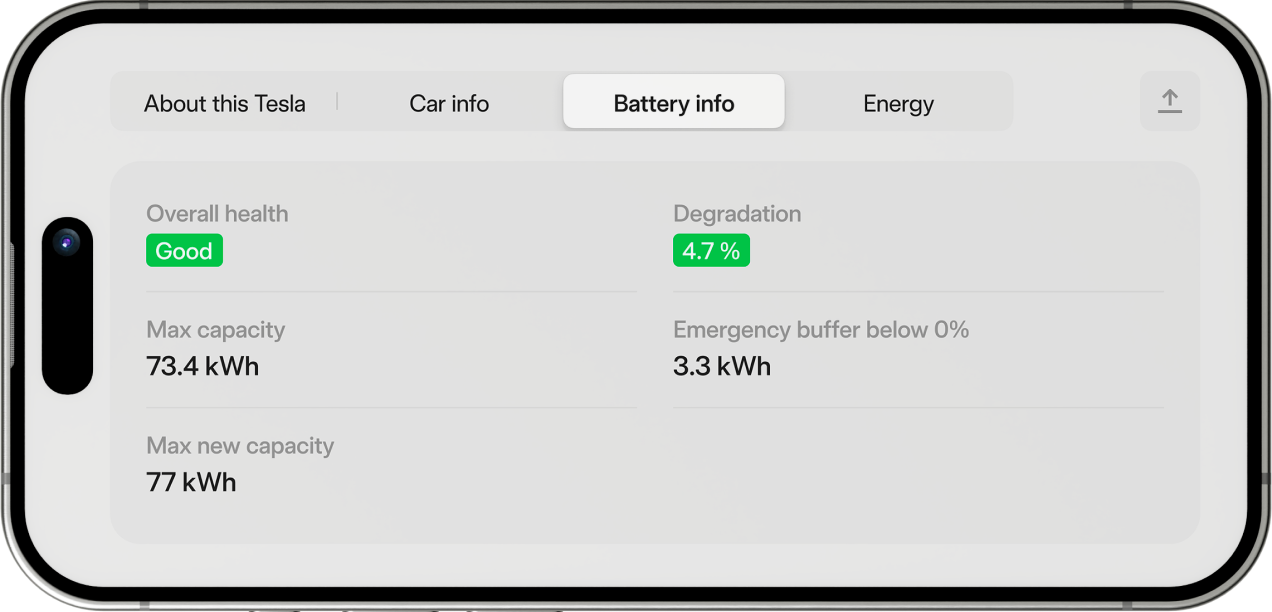
Get complete
unique
info about
your car
unique
info about
your car


Share the info with your
friends on social
networks
friends on social
networks

'%3e%3cpath%20d='M40%2023H24V25H40V23Z'%20fill='%23909090'/%3e%3cpath%20d='M31.0001%2012.4V20H33.0001V12.4L36.0001%2015.4L37.4001%2014L32.7001%209.3C32.3001%208.9%2031.7001%208.9%2031.3001%209.3L26.6001%2014L28.0001%2015.4L31.0001%2012.4Z'%20fill='%23909090'/%3e%3c/g%3e%3cdefs%3e%3cclipPath%20id='clip0_4990_1778'%3e%3crect%20width='16'%20height='16'%20fill='white'%20transform='translate(24%209)'/%3e%3c/clipPath%3e%3c/defs%3e%3c/svg%3e)
Access battery
data
hidden in
the system
data
hidden in
the system

'%3e%3crect%20x='0.82666'%20y='11.7273'%20width='36.3636'%20height='14.5455'%20rx='2.5'%20fill='%23909090'/%3e%3cpath%20d='M20.6193%2019.5084C20.6138%2019.5084%2020.6083%2019.5096%2020.6032%2019.5117C20.5981%2019.5138%2020.5935%2019.517%2020.5895%2019.5209C20.5856%2019.5249%2020.5825%2019.5296%2020.5804%2019.5348C20.5783%2019.5399%2020.5772%2019.5455%2020.5772%2019.5511C20.5765%2020.3917%2020.5765%2021.2166%2020.5772%2022.0258C20.5772%2022.3956%2020.2067%2022.6776%2019.865%2022.5021C17.8839%2021.4846%2015.9006%2020.4712%2013.9152%2019.4618C13.5487%2019.2756%2013.5393%2018.7304%2013.9117%2018.5462C13.9864%2018.5094%2014.0739%2018.4911%2014.1741%2018.4915C15.2737%2018.4935%2016.3997%2018.4938%2017.5519%2018.4925C17.565%2018.4925%2017.5774%2018.4872%2017.5867%2018.4778C17.5959%2018.4683%2017.601%2018.4556%2017.601%2018.4423C17.601%2017.606%2017.601%2016.7831%2017.601%2015.9736C17.6015%2015.6099%2017.9651%2015.3218%2018.3078%2015.4973C20.1976%2016.4644%2022.1806%2017.4784%2024.2566%2018.5391C24.7605%2018.7963%2024.5571%2019.5105%2024.0156%2019.509C22.8124%2019.5066%2021.6803%2019.5064%2020.6193%2019.5084Z'%20fill='white'/%3e%3cpath%20d='M38.0166%2016.3688C38.0166%2016.0368%2038.2857%2015.7677%2038.6177%2015.7677C39.1986%2015.7677%2039.6695%2016.2386%2039.6695%2016.8195V21.1805C39.6695%2021.7614%2039.1986%2022.2323%2038.6177%2022.2323C38.2857%2022.2323%2038.0166%2021.9632%2038.0166%2021.6313V16.3688Z'%20fill='%23909090'/%3e%3c/g%3e%3cdefs%3e%3cclipPath%20id='clip0_5042_3827'%3e%3crect%20width='40'%20height='16'%20fill='white'%20transform='translate(0%2011)'/%3e%3c/clipPath%3e%3c/defs%3e%3c/svg%3e)
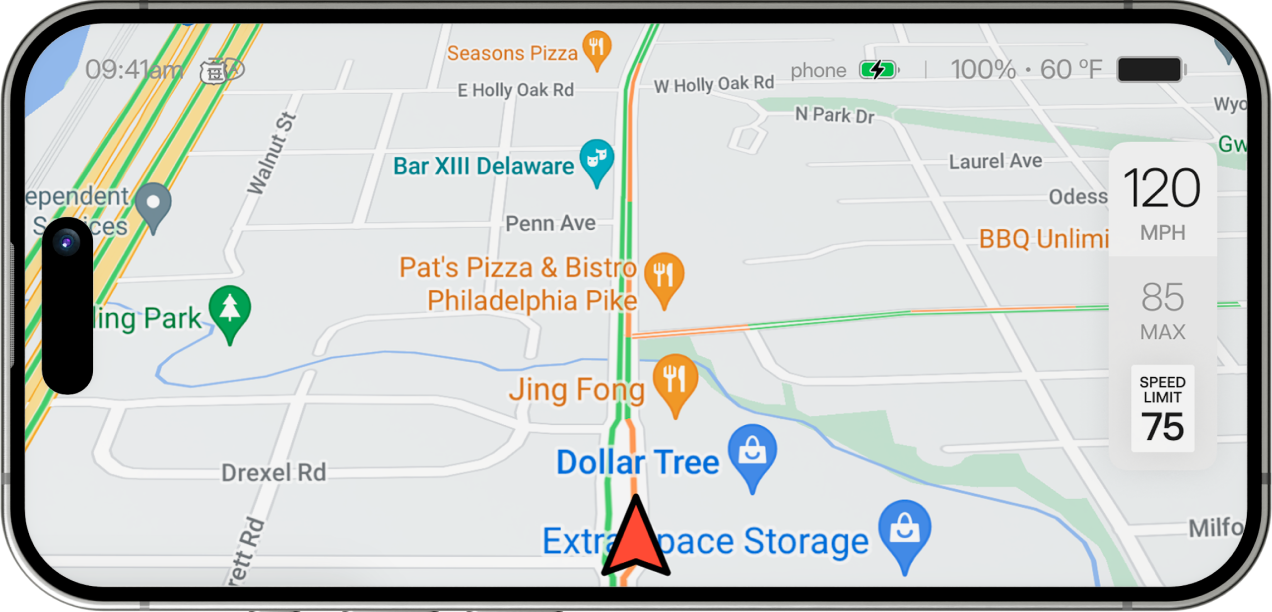
Follow the route
without taking
your
attention off the road
without taking
your
attention off the road


Screenmate Dash utilizes Google's
map and navigation
map and navigation


All important
indicators, such as
self-drive mode and
others, remain visible
indicators, such as
self-drive mode and
others, remain visible


Dashboard
Easily control the speed, power
and battery of your Model 3/Y.
and battery of your Model 3/Y.

Performance
Experience the performance mode
data even if you are driving.
data even if you are driving.
Energy screen
Detailed pictures of how different
vehicle systems consume power.
vehicle systems consume power.
Car Data
Get and share all needed
info about your car.
info about your car.
Map and Nav
Plan your route and conveniently
follow it along the way.
follow it along the way.
Screenmate Dash new feature avaliable
Multiple devices support
You can easily connect
2+ cross platform devices
simultaneously
2+ cross platform devices
simultaneously


'%3e%3cpath%20d='M-4.15398e-06%2011.8565L-4.71187e-07%2096.5596C-2.11412e-07%20102.534%204.89145%20107.397%2010.9043%20107.397L128.297%20107.397C134.31%20107.397%20139.203%20102.536%20139.203%2096.5596L139.203%2011.8565C139.203%205.88371%20134.312%201.02131%20128.297%201.02131L10.9043%201.02132C4.89145%201.02132%20-4.41367e-06%205.88372%20-4.15398e-06%2011.8565ZM128.297%204.8636C132.179%204.8636%20135.337%208.00081%20135.337%2011.8565L135.337%2096.5596C135.337%20100.415%20132.179%20103.554%20128.297%20103.554L10.9043%20103.554C7.02397%20103.554%203.86676%20100.417%203.86676%2096.5596L3.86676%2011.8565C3.86676%208.00082%207.02396%204.8636%2010.9043%204.8636L128.297%204.8636Z'%20fill='white'/%3e%3crect%20x='8.63277'%20y='43.8843'%20width='4.31638'%20height='17.3873'%20rx='2.15819'%20fill='white'/%3e%3c/g%3e%3cdefs%3e%3cclipPath%20id='clip0_5168_4521'%3e%3crect%20width='107.584'%20height='139.203'%20fill='white'%20transform='translate(0%20108)%20rotate(-90)'/%3e%3c/clipPath%3e%3c/defs%3e%3c/svg%3e)
'%3e%3cpath%20d='M0.10165%2011.8565L0.101654%2096.5596C0.101654%20102.534%204.9931%20107.397%2011.0059%20107.397L128.399%20107.397C134.412%20107.397%20139.305%20102.536%20139.305%2096.5596L139.305%2011.8565C139.305%205.88371%20134.414%201.02131%20128.399%201.02131L11.0059%201.02132C4.9931%201.02132%200.10165%205.88372%200.10165%2011.8565ZM128.399%204.8636C132.281%204.8636%20135.438%208.00081%20135.438%2011.8565L135.438%2096.5596C135.438%20100.415%20132.281%20103.554%20128.399%20103.554L11.0059%20103.554C7.12562%20103.554%203.96841%20100.417%203.96841%2096.5596L3.96841%2011.8565C3.96841%208.00082%207.12562%204.8636%2011.0059%204.8636L128.399%204.8636Z'%20fill='white'/%3e%3crect%20x='8.73444'%20y='43.8843'%20width='4.31638'%20height='17.3873'%20rx='2.15819'%20fill='white'/%3e%3c/g%3e%3cdefs%3e%3cclipPath%20id='clip0_5168_4526'%3e%3crect%20width='107.584'%20height='139.203'%20fill='white'%20transform='translate(0.101654%20108)%20rotate(-90)'/%3e%3c/clipPath%3e%3c/defs%3e%3c/svg%3e)
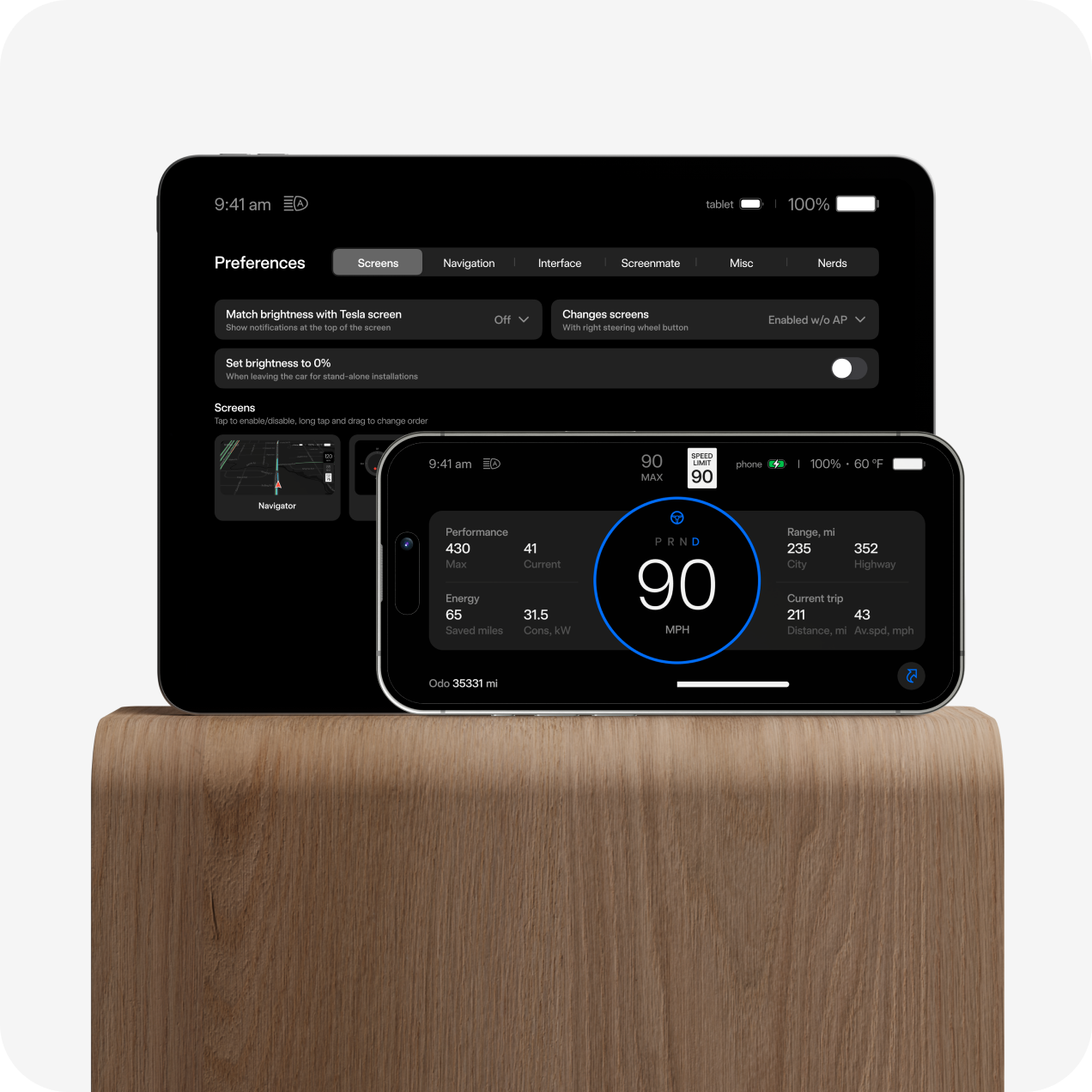
Significant
dashboard features
dashboard features
Screenmate Shortcuts:

Maximize your driving comfort with an innovative set of commands
"Screenmate Shortcuts" is a set of convenient commands that enable you to manage auxiliary vehicle systems not found in Tesla's basic functionality.
These commands add convenience without affecting the driving process or compromising vehicle safety
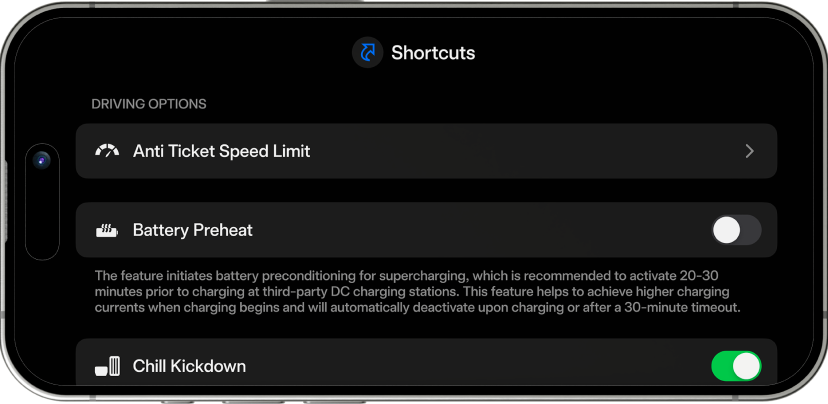

To activate Shortcuts, you need to switch the Active Control toggle to the "on" position using a pin or any other object.
'%20fill='%231657FC'/%3e%3c/svg%3e)
Shortcuts settings and changes are stored within the transmitter, enabling them to function when the phone is disconnected.
What’s in the box
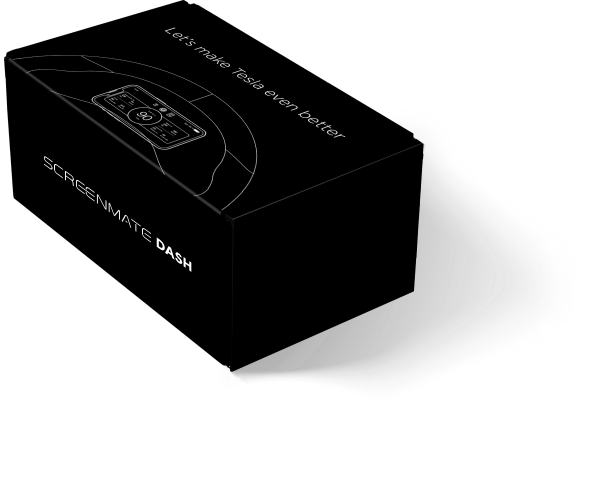
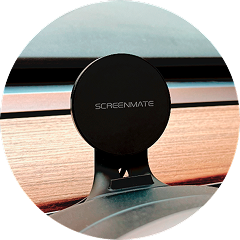
In the box, you will find a Screenmate Dash transmitter and everything you need to install it, as well as a holder for placing the phone where you are used to seeing the car dashboard.

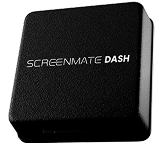
Screenmate Dash transmitter


Magsafe Magnet
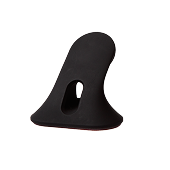
Phone Holder
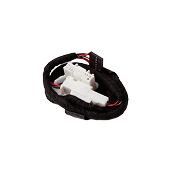
Transmitter Wiring

Plastic Tool


Additional Wireless Charger
This magnetic charger installs on a phone holder instead of a magnet. It is compatible with the iPhone 12 and above, as well as any phone that supports wireless charging (when using the included magnetic ring).


90 Degree USB Type C to USB Type C Adapter for Convenient Charging Connection

USB Type C to USB Type A Adapter for Tesla Model 3 Cars
Bloggers’ Verdict
Watch video reviews from popular influencers
'/%3e%3cpath%20d='M13.1724%200.557218C13.5392%20-0.186028%2014.599%20-0.186026%2014.9658%200.55722L18.5387%207.79666C18.6844%208.0918%2018.9659%208.29637%2019.2916%208.3437L27.2808%209.5046C28.1011%209.62378%2028.4286%2010.6318%2027.835%2011.2103L22.054%2016.8454C21.8183%2017.0751%2021.7108%2017.4061%2021.7664%2017.7305L23.1311%2025.6874C23.2712%2026.5044%2022.4138%2027.1273%2021.6802%2026.7416L14.5344%2022.9849C14.2431%2022.8317%2013.8951%2022.8317%2013.6038%2022.9849L6.458%2026.7416C5.72437%2027.1273%204.86694%2026.5044%205.00705%2025.6874L6.37177%2017.7305C6.42741%2017.4061%206.31986%2017.0751%206.08417%2016.8454L0.303135%2011.2103C-0.290382%2010.6318%200.0371296%209.62378%200.85735%209.50459L8.84654%208.3437C9.17225%208.29637%209.45382%208.0918%209.59948%207.79666L13.1724%200.557218Z'%20fill='white'/%3e%3cdefs%3e%3clinearGradient%20id='paint0_linear_12132_1845'%20x1='0.0885086'%20y1='3.18468'%20x2='45.8458'%20y2='13.8466'%20gradientUnits='userSpaceOnUse'%3e%3cstop%20stop-color='%23437DF6'/%3e%3cstop%20offset='1'%20stop-color='%232823F9'/%3e%3c/linearGradient%3e%3c/defs%3e%3c/svg%3e)

What Customers Say
Overall rating
0
0 reviews
Already own ?